
Shipped
Product Design @ Beca
2025
Research Process, Current State
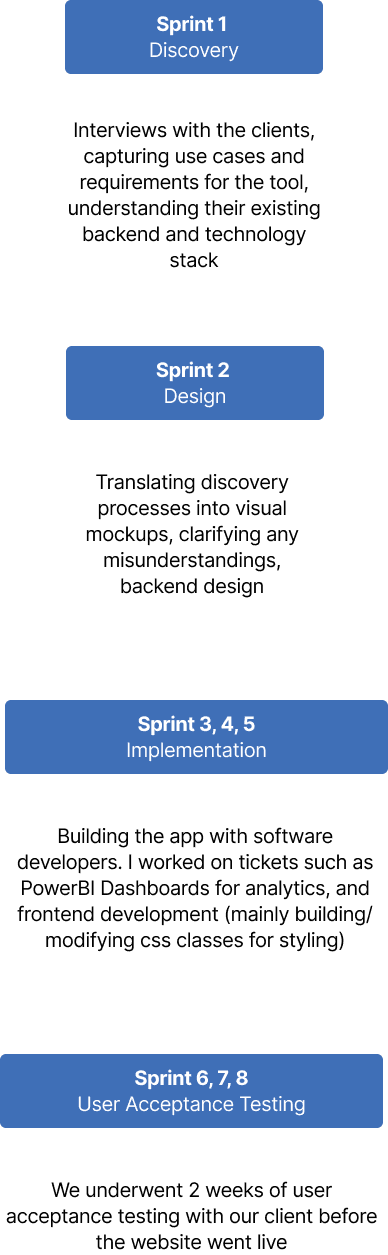
We adopted an Agile approach, organising work into sprints within Azure DevOps. I was involved in all of the sprints, but was leading the discovery and design process with our project manager.

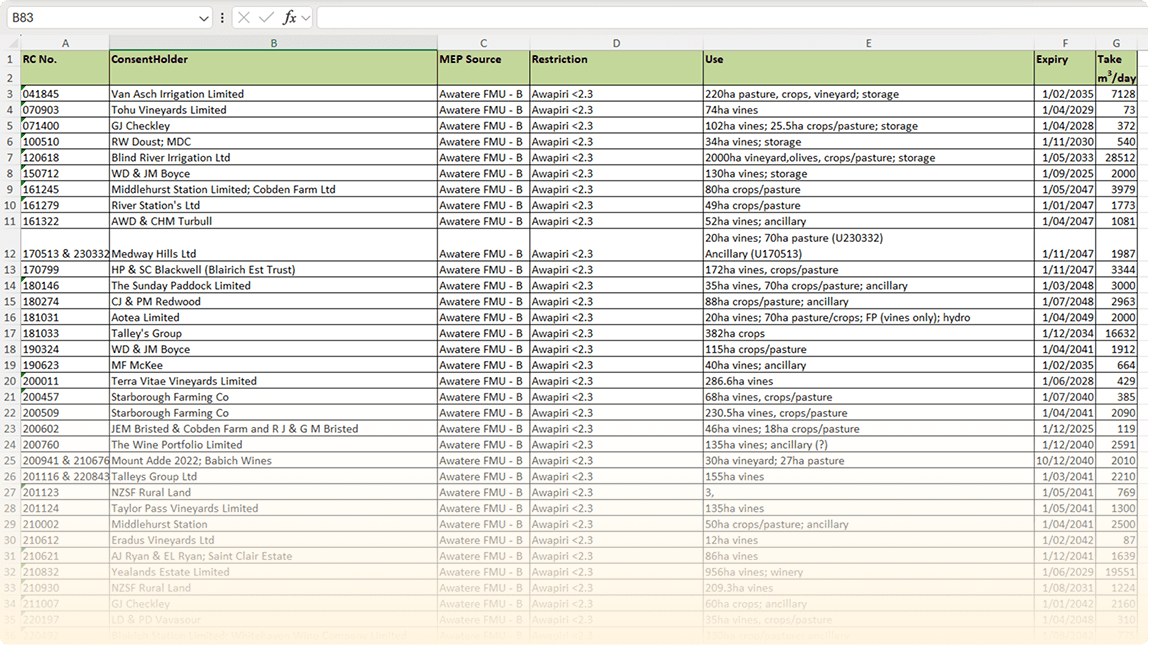
The local government currently tracks remaining water capacity for a region through a manual Excel spreadsheet. While applications are granted and recorded in a separate system, approvals are still checked against the spreadsheet to confirm available capacity.
This makes it difficult to see total allocations by region, leaves room for error, and slows down the process. Our system needs to streamline this by automatically summing allocations and making it easier to track water use across the city.
User Interviews
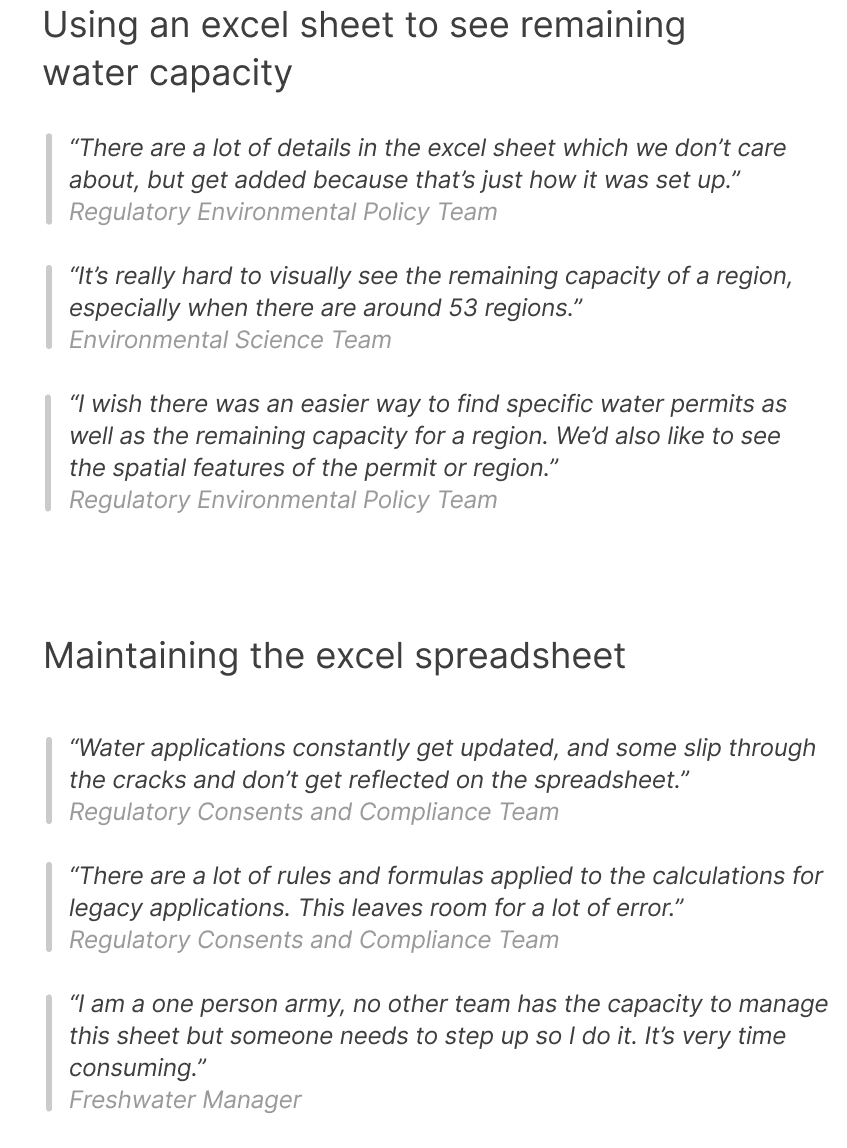
During our meeting with the clients, we focused on two pain points which was raised prior to the interviews. This is what they had to say about the current state of tracking water use in the city:
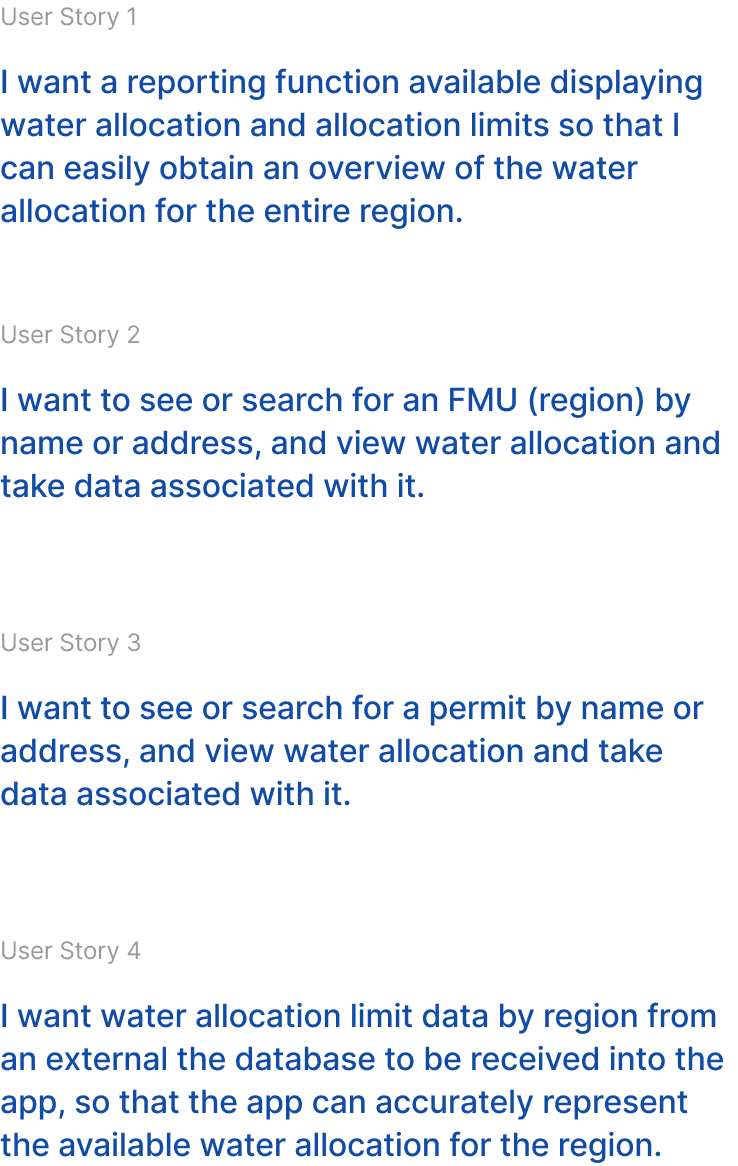
User Stories
We identified their pain points, consolidated our findings, and developed four key user stories that address both their challenges and their requirements.
Site Structure
After receiving approval that we accurately captured the client’s user stories, We translated them into a simple four-page platform:
FMU
Displays current allocations and the permits linked to each region.
Permits
Lists all granted water irrigation permits.
FMU Allocations
Shows the fixed water allocation limits for each region.
Dashboard
Provides an at-a-glance view of all FMUs and their allocation status
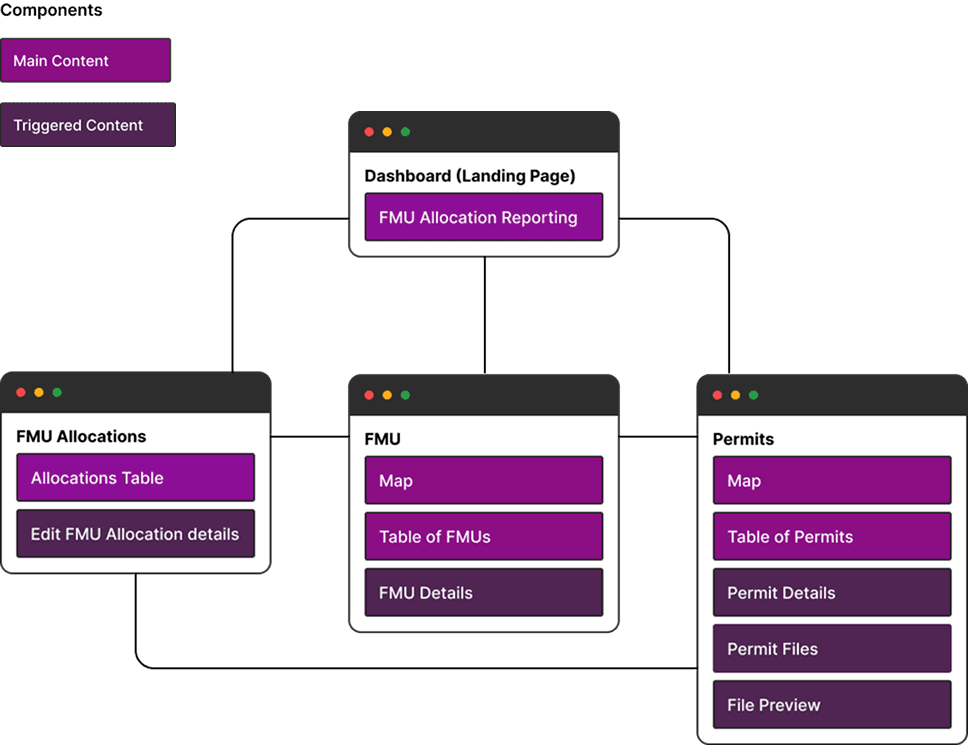
Site structure diagram
Design Considerations
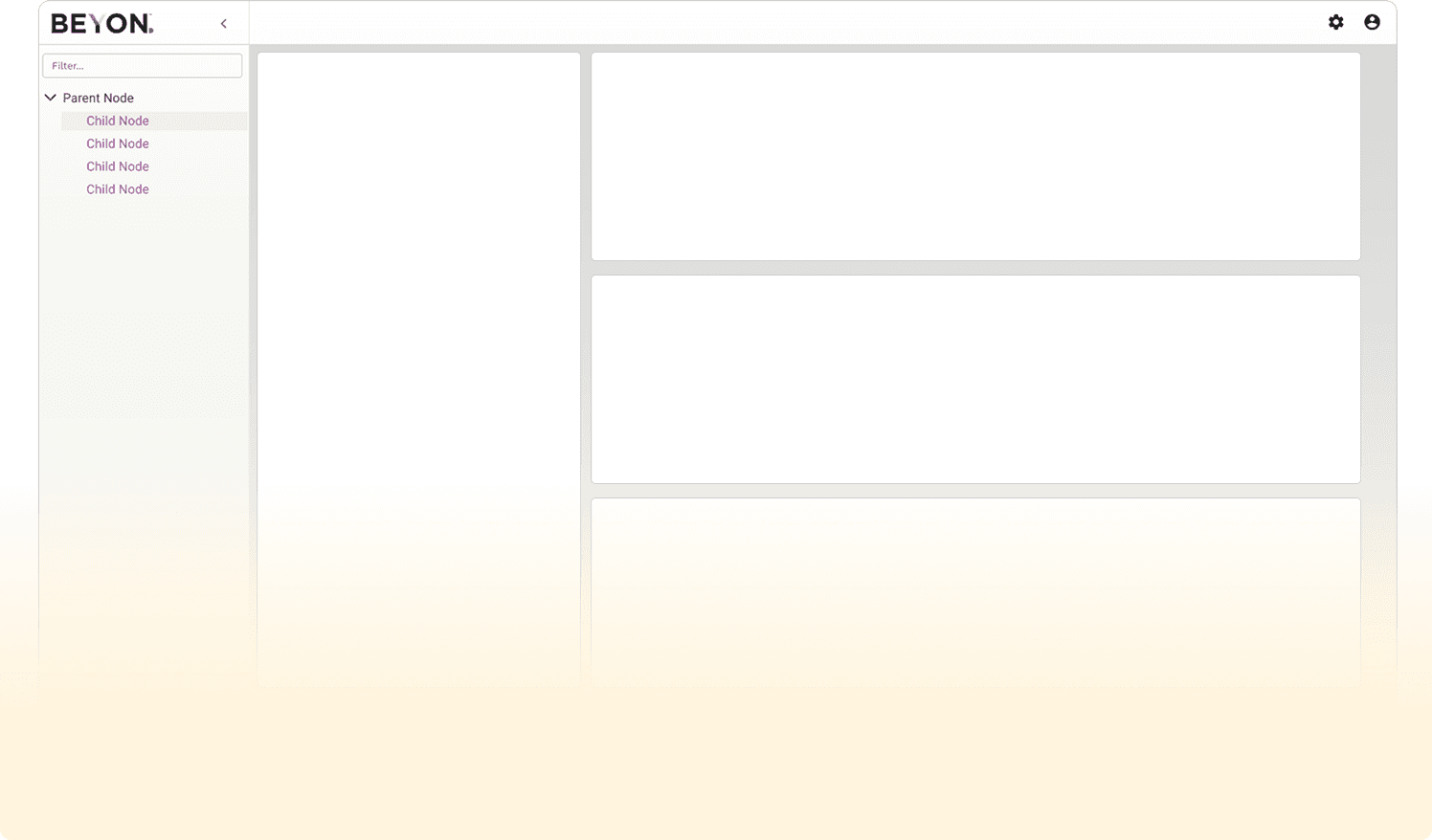
This tool is developed on Beca’s BEYON platform, which adheres to established design and technical guidelines. These include maintaining the navigation tab layout, using the purple accent color for branding, and ensuring a clear technical structure of parent pages and their child pages. Page content is built within “visuals” - stackable boxes that hold the main content.
Tracking regional water use
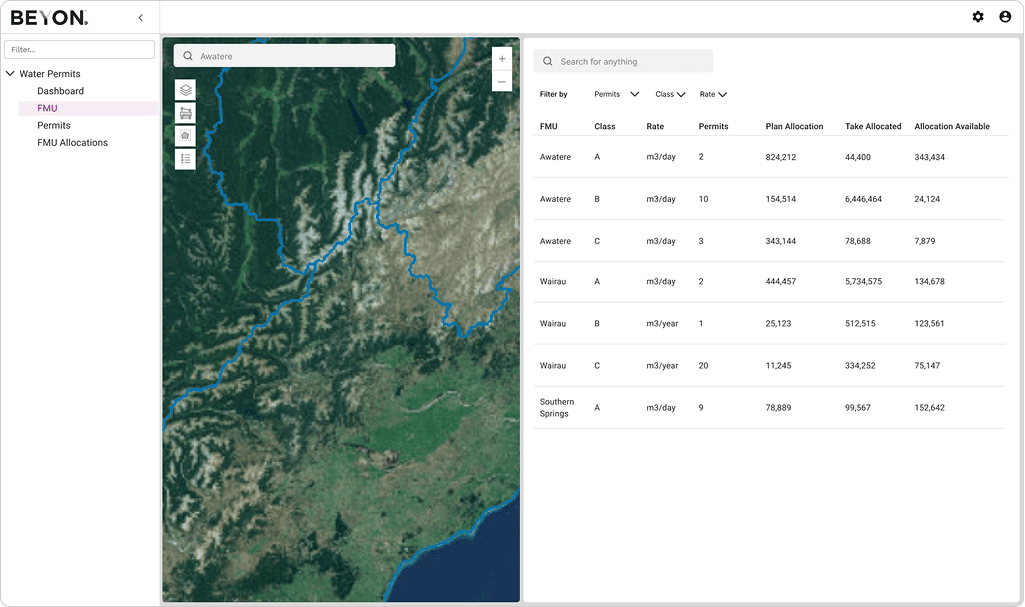
User Story 2: I want to see or search for an FMU (region) by name or address, and view water allocation and take data associated with it.
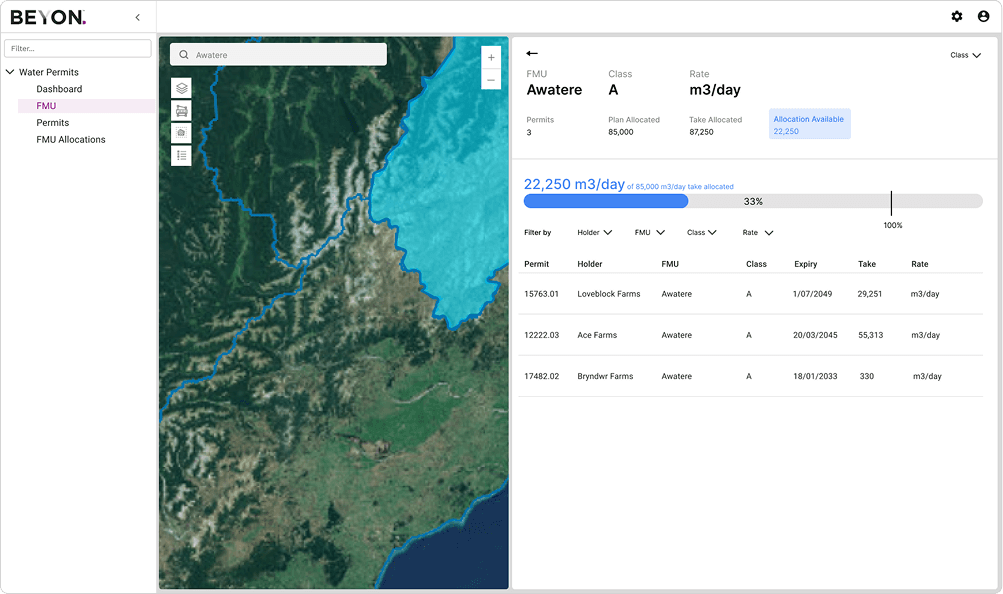
FMU page provides three ways to view a region’s allocation: by searching in the map’s search bar, by selecting the region directly on the map, or by filtering and selecting from a table. Key features include quick information cards at the top displaying the most important data, a red/blue visual gauge showing allocation levels, and a list of permits associated with the region.
Selecting from map
Selecting from list
Tracking personal water use
User Story 3: I want to see or search for a permit by name or address, and view water allocation and take data associated with it.
Consistent with the FMU page, the Permit page offers three ways to view a permit: by searching in the map’s search bar, selecting it directly on the map, or filtering and selecting from a table. When a permit is selected, key details that matter most to the client are displayed in the details section. There’s also a tab showing information about the FMU associated with that permit.
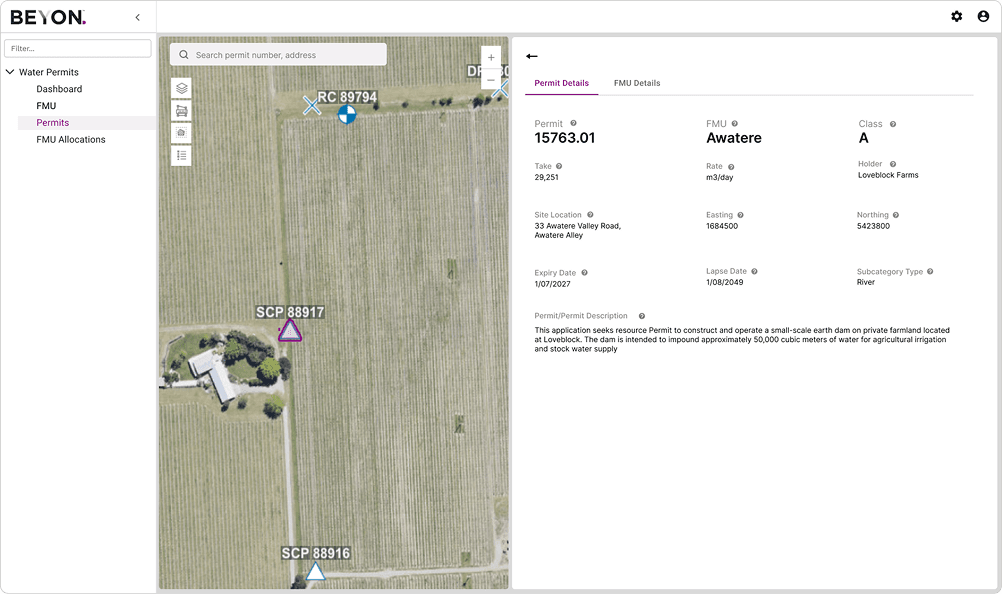
Selecting from map
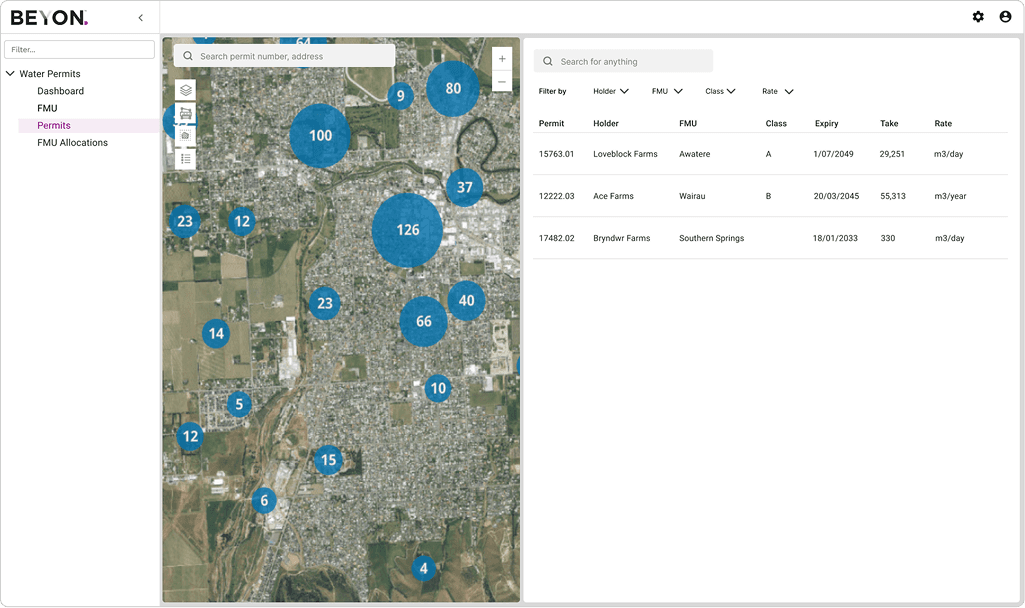
Selecting from list
Reporting on metrics that matter
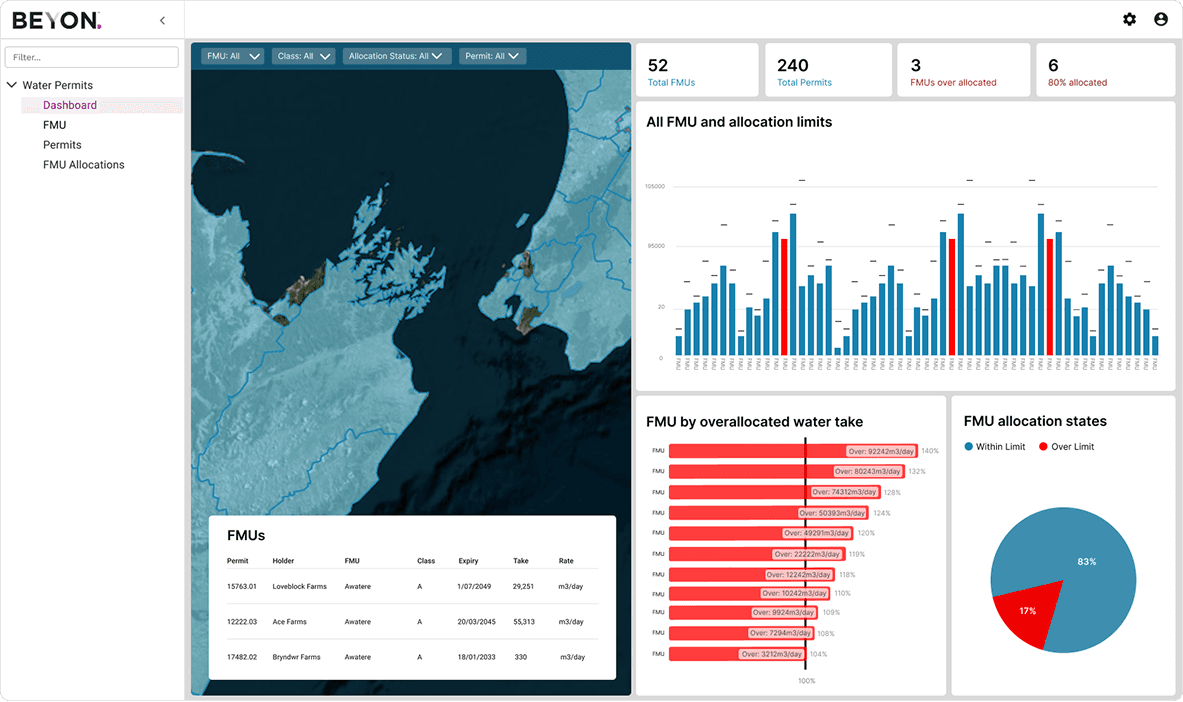
User Story 1: I want a reporting function available displaying water allocation and allocation limits so that I can easily obtain an overview of the water allocation for the entire region.
This screenshot uses mock data to show how clients can quickly see allocation states. Blue and red highlight regions with or without available water, while key metrics, bar graphs, and the map all update together for an at-a-glance view. This gives clients a clear, immediate understanding of where resources are available and where issues may exist.
Setting the water limit rules for a region
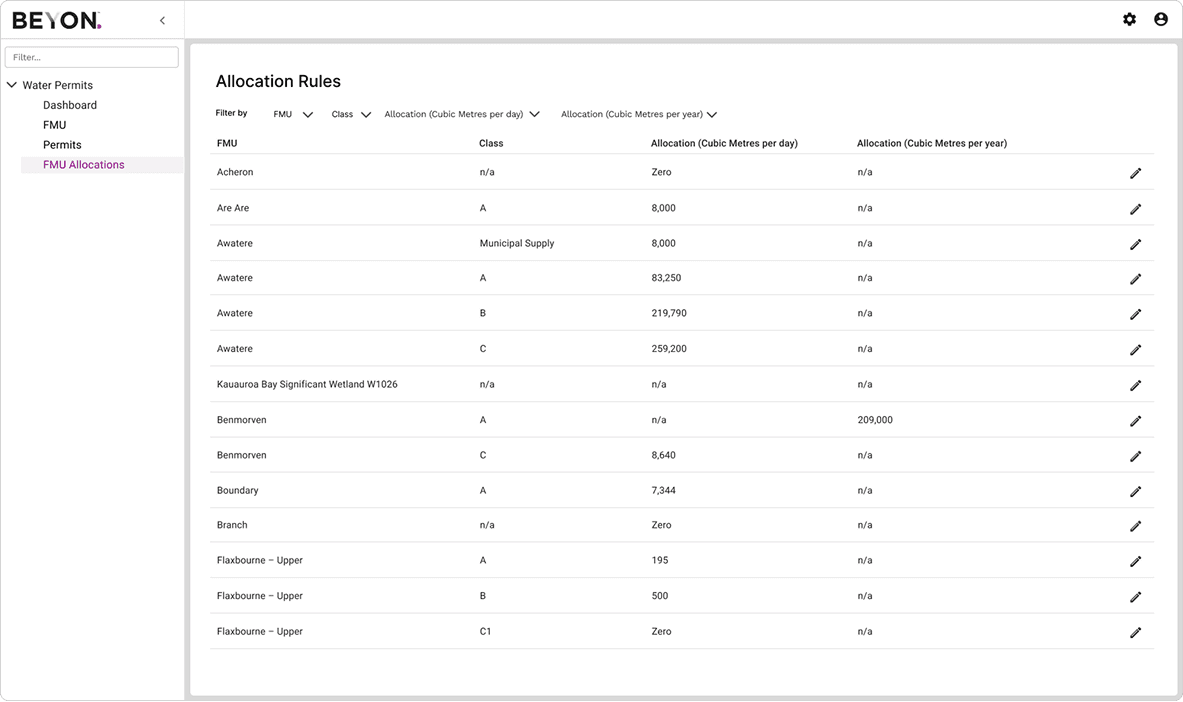
User Story 4: I want water allocation limit data by region from an external the database to be received into the app, so that the app can accurately represent the available water allocation for the region.
The client also wanted an easy way to view fixed allocation limits and update them when policies change. We designed a simple table to provide this functionality, allowing quick edits and clear visibility of all values.
Testing and Next Steps
User acceptance testing was conducted by the client’s testers, focusing primarily on the software’s functionality rather than the overall user experience. The feedback, however, was positive:
The client appreciated how pages were organized into clear, digestible sections.
Multiple entry points made it easy to find data, whether by value or via the map.
Details displayed on each page were highly tailored to the client’s needs.
Actions to access detailed information were never more than two clicks away
The client expressed interest in ongoing collaboration with us to develop new tools, not just for water allocation but for other areas of their work as well.
Due to tight project deadlines, we skipped much of the UX testing, such as ease of use and accessibility. Gathering this feedback in the future would be valuable to further iterate on the tool and enhance it even more.
During initial use of the tool however, we picked up a few comments which brought us back to the drawing board for further design iteration ideas:
The map had little/no logos or signifiers to identify information about what was selected. Having location names or permit IDs when something is selected on the map would provide more feedback from the system, so users know that they are selecting the right location.
The dashboard with the map seems redundant. We can give better insights if more graph based visuals are used instead of the map.
Sometimes a user would want to view both in depth permit details as well as in depth FMU details - there should be a way to go to the permits page from within the FMU page when viewing a related permit.