
Research Paper
How augmented reality fills the gap in data structures education?
As part of our honours project, we read multiple published research papers on related work which include challenges in data structures education, and current approaches to overcoming these challenges in data structures education.
Research Intent
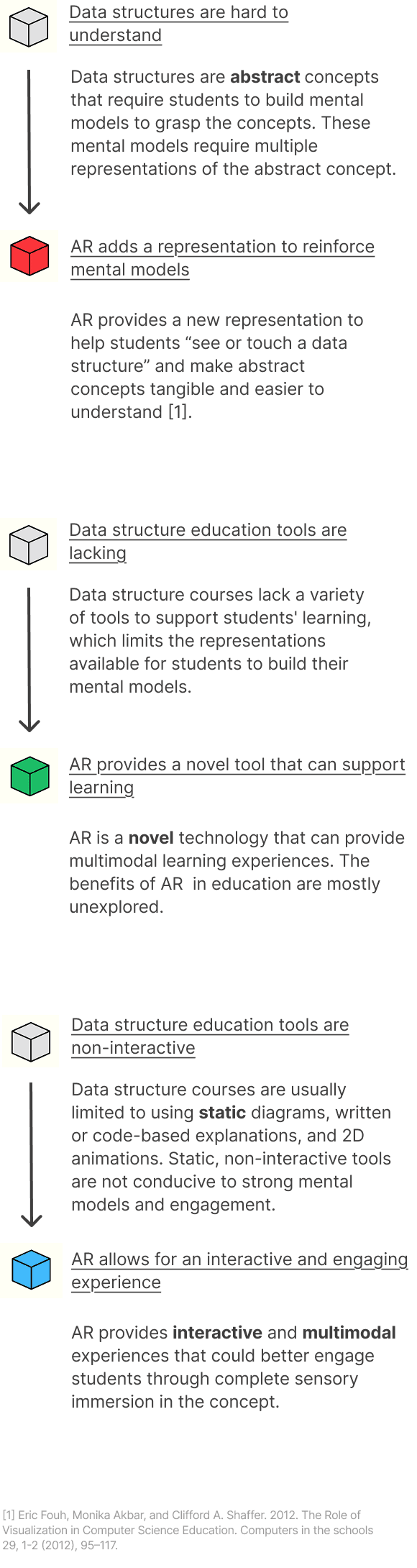
Researching published papers in data structures education helped us define the following research question:
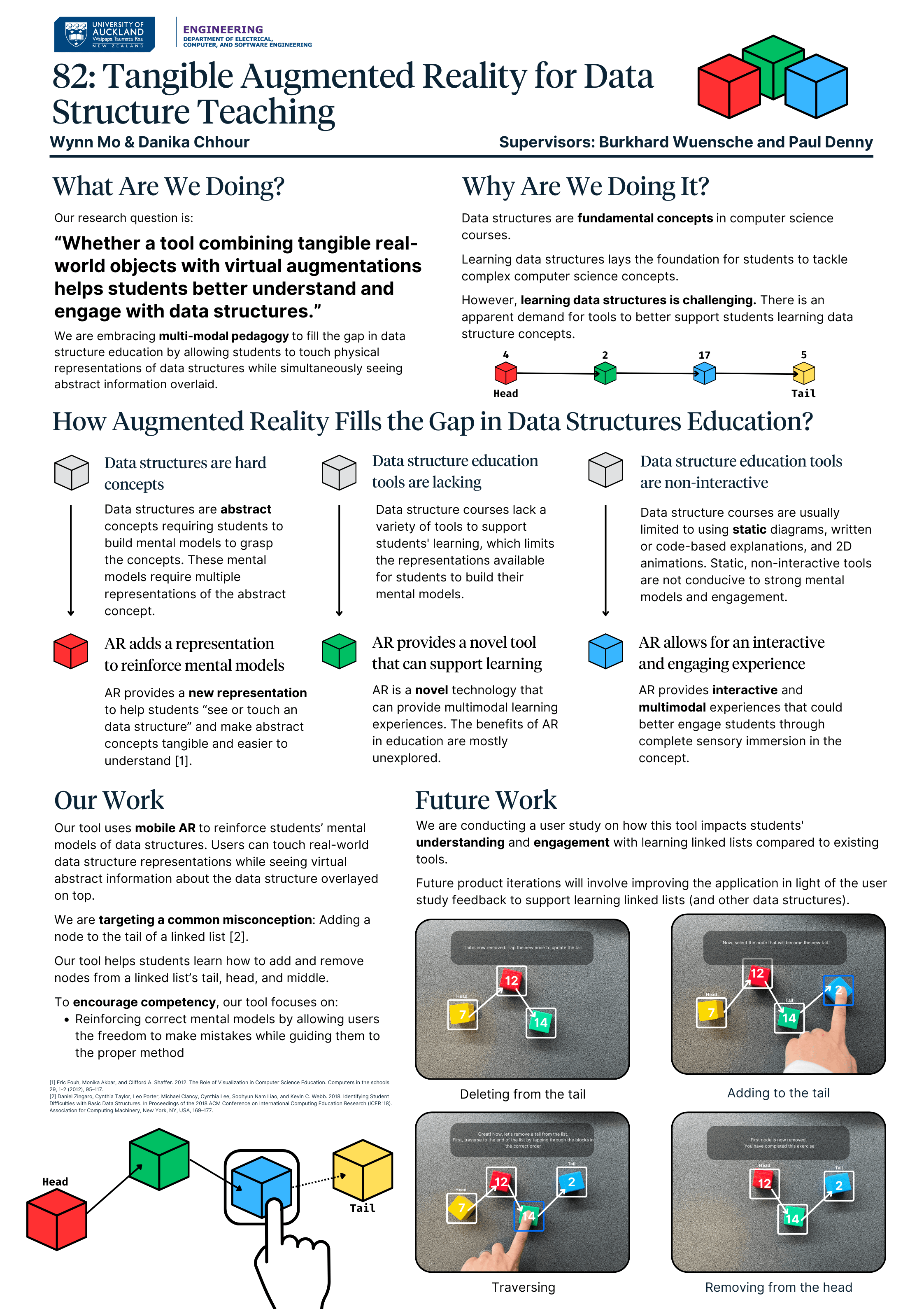
“Whether a tool combining tangible real world objects with virtual augmentation helps students better understand and engage with data structures.”
With this research intent, we embraced multi modal pedagogy to fill the gap in data structure education by allowing students to touch physical representations of data structures while simultaneously seeing abstract information overlaid.
Linked list data structure
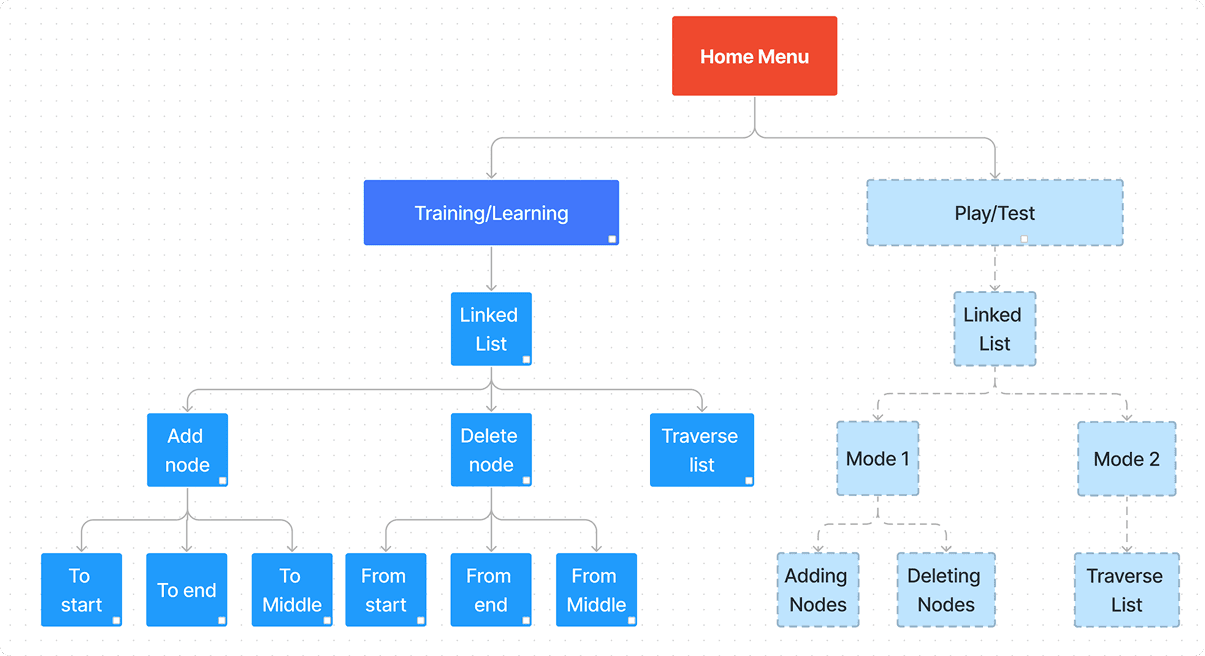
Design - Game Flow
This project helps students understand singly linked lists, which are often misunderstood due to abstract pointers, lack of real-world context, and confusion from prior array knowledge [2].
These tasks require managing multiple pointers, especially the tail, which is hard to visualise. To address this, we designed a simple game flow with training and play modes to guide students through these tricky concepts.
[2] Daniel Zingaro, Cynthia Taylor, Leo Porter, Michael Clancy, Cynthia Lee, Soohyun Nam Liao, and Kevin C. Webb. 2018. Identifying Student Difficulties with Basic Data Structures. In Proceedings of the 2018 ACM Conference on International Computing Education Research (ICER '18). Association for Computing Machinery, New York, NY, USA, 169–177.
Design - User Experience
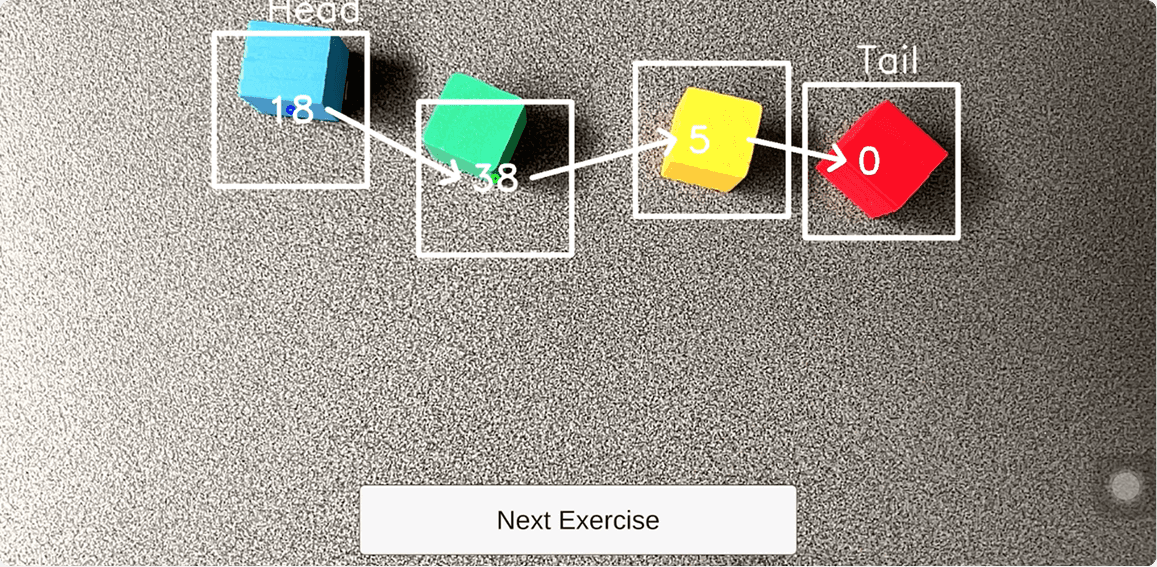
Figure 1: Visual overlay illustrating the selected node
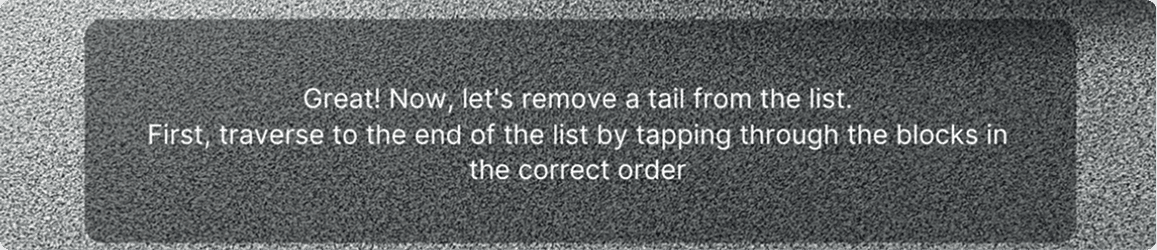
Figure 2: Example of a prompt to guide user towards removing node at the tail of the list
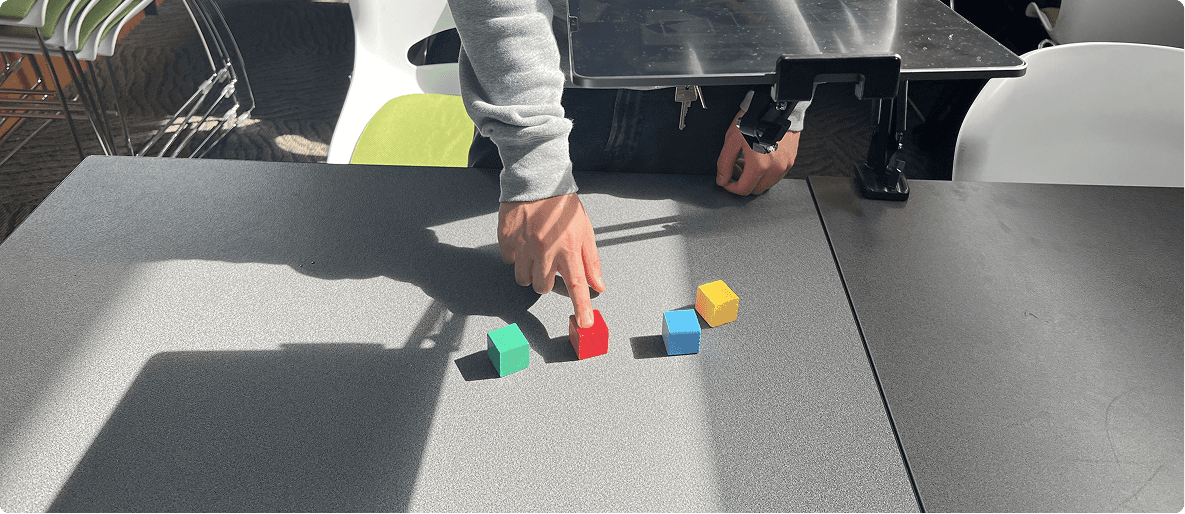
The tool uses coloured wooden blocks to represent linked list nodes and hand gestures for interaction, creating a multi-modal learning experience.
Users can move blocks to show that linked lists are connected by pointers and not stored in order.
To add or remove nodes, users move blocks into or out of the screen’s view.
To traverse the list, users tap on each block in sequence, showing that linked lists must be accessed one node at a time.
These simple gestures are designed to be intuitive, helping users focus on learning without being distracted by complicated controls.
Implementation
We designed and coded the tool using mobile augmented reality (AR), combining physical interaction with virtual overlays. The application runs on an iPad Pro for a larger interface, but is also compatible with other iOS and Android devices through Unity’s AR Foundation. A tablet stand is used to free up both hands for interaction.
We built the app in Unity, deployed it using Xcode for iOS, and integrated OpenCV for Unity to enable:
Colour tracking of the wooden blocks
Hand pose estimation to detect gestures like tapping and movement
Gameplay example of removing a tail from a linked list
User Study Design
We compared our tangible AR tool with an existing data structures browser game called the VisuAlgo.
VisuAlgo: Shows animations of linked list operations
Tangible AR tool: Interactive tutorial with gesture-based tasks and a warm-up phase
To prevent bias, the tool order and test questions were rotated. Each of the participants:
Completed a pre-study test and questionnaire
Used both tools for 5–10 minutes each
Completed a test and questionnaire after each tool
Finished with a post-study questionnaire
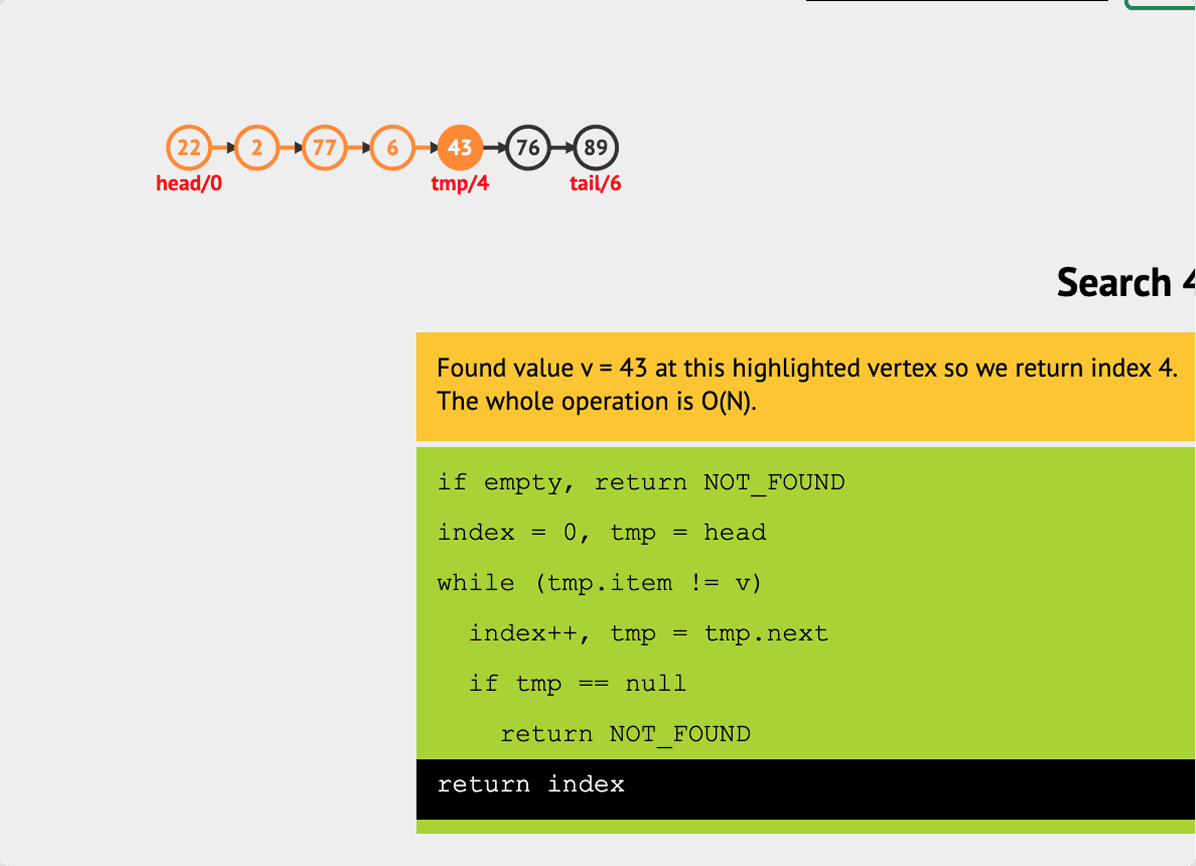
VisuAlgo interface
Demographics and Tests
In total, 21 students completed the user study.
→ 90% of the participants were either 21 or 22 years old, corresponding to third or fourth year undergraduate students.
→ 9 of the 21 participants had never done any data structures before, whereas the others had done at least one course containing a data structures module.
The data structure modules that students had completed varied across engineering disciplines, therefore, there is likely a difference in the depth and method in which they were taught.
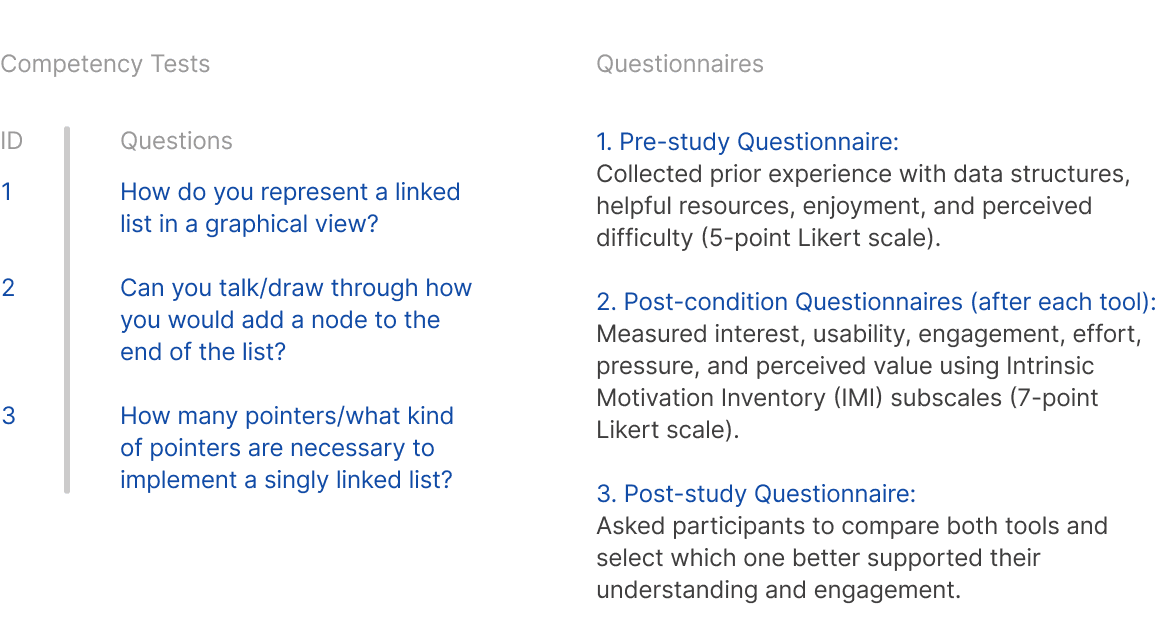
Our tests and questionnaires were designed to give us insight on specific measures:
Understanding
Interest and Enjoyment
Value and Usefulness
Results - Understanding
Each answer was marked on a scale of 0 to 4, depending on which elements of the model answer the user included. For this measure, I have shown the results of one of the three questions as an example.
50% of participants completing this question after using the tangible AR tool got full marks compared to 14% of participants completing this question after using VisuAlgo.
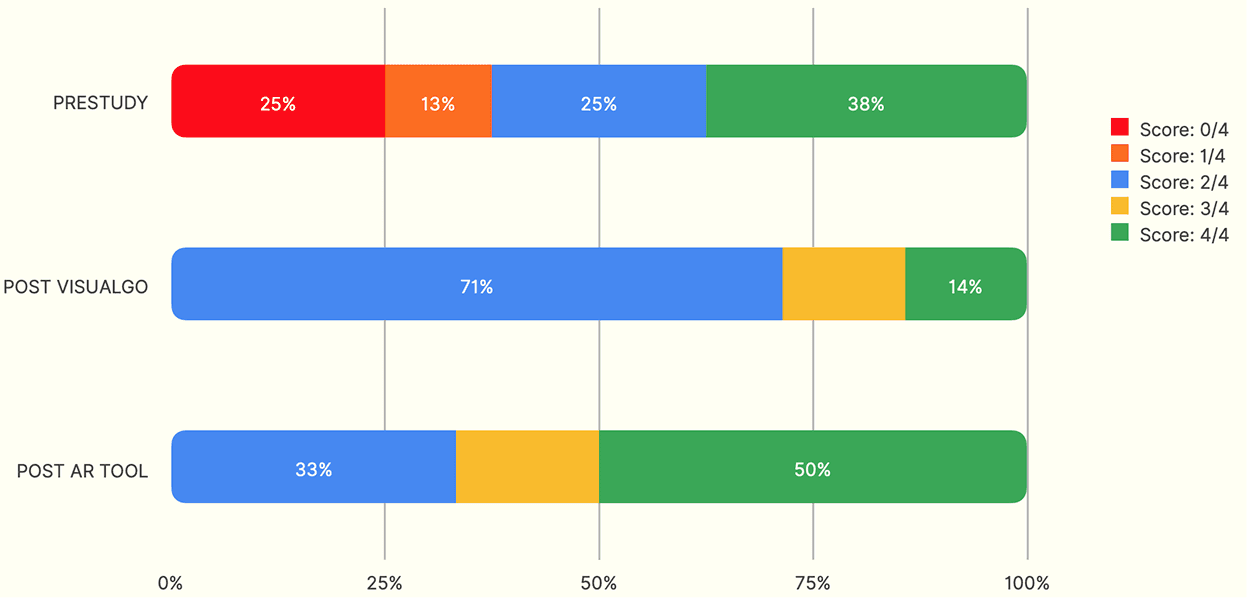
1. How do you represent a linked list in a graphical view?
Results - Interest and Enjoyment
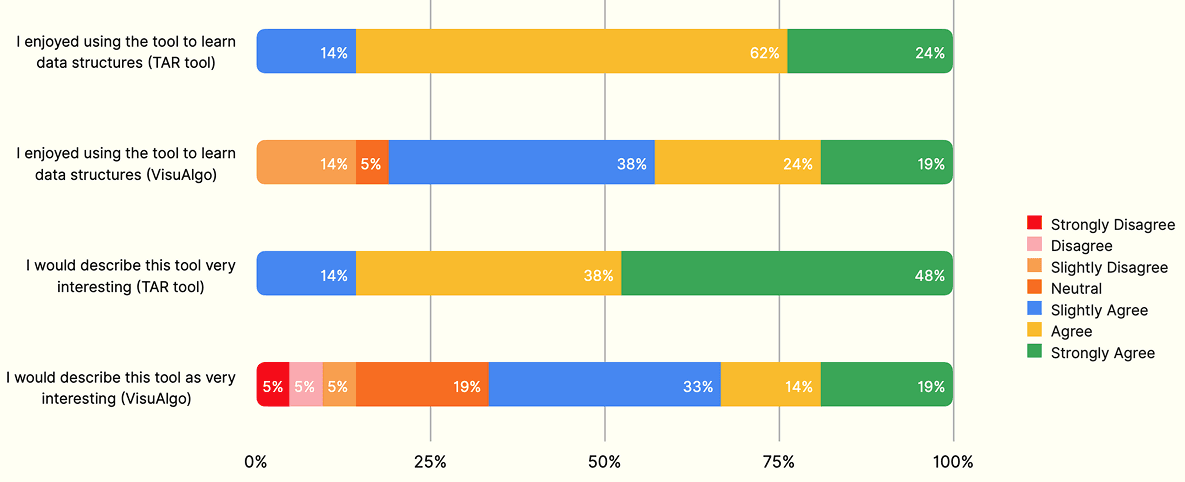
Notably, the tangible AR tool received high scores on the Likert scale in response to the statement "I would describe this tool as very interesting", which indicates that participants were interested in the novel tool.
These findings suggest that, in this context, both the tangible AR tool and VisuAlgo effectively make the learning process enjoyable and interesting, which is a key contributing factor to student success.
Results - Value and Usefulness
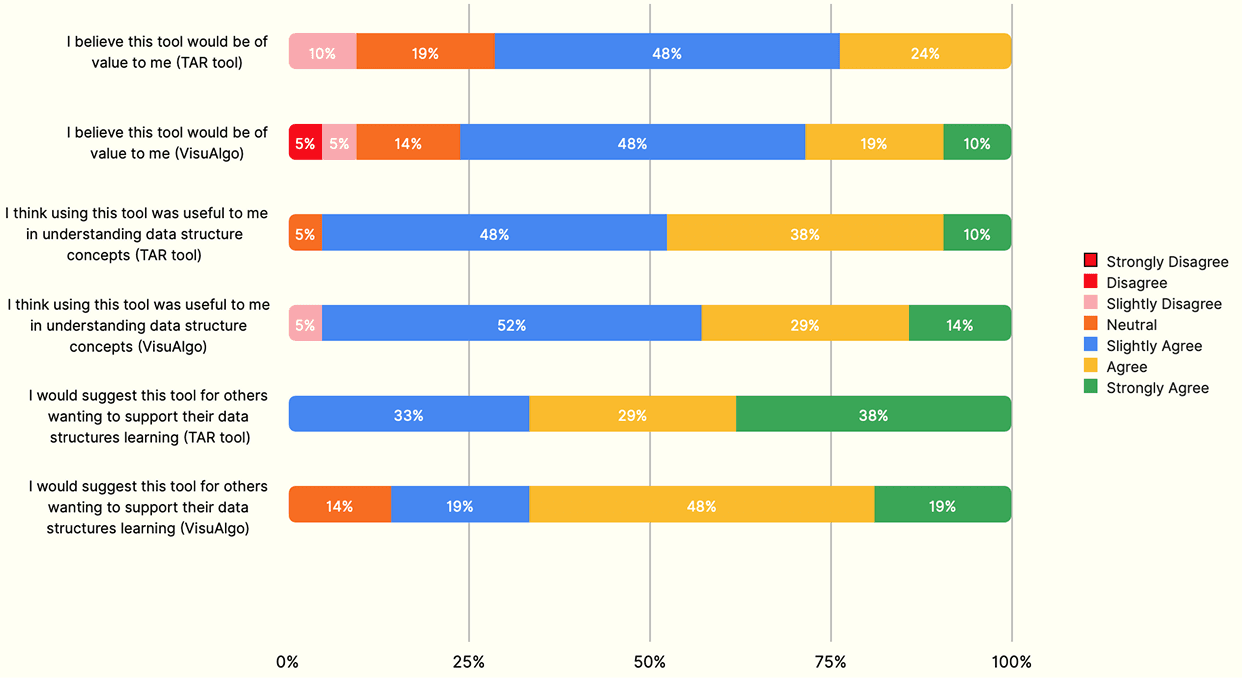
One participant noted that "[the tools] worked well together", which is also consistent with literature findings that students are more likely to succeed by combining different tools and representations of concepts to reinforce their mental models.
Poster Design
Reflection and Future Work
One signicant restriction of the tangible AR tool is that the tracking of colours and hands is limited by the OpenCV library used and, therefore, requires a bit of tedious set-up to ensure the colours are tracked well throughout the tutorial. Upgrades to the tracking library will likely result in better user experiences and enjoyment and engagement with the tool.
The findings in this work have the potential to help some students overcome common barriers and challenges in computer science data structure courses.
This research project was picked up by incoming final year engineering students to further develop more game modes for the tool.